
Top 10 AI Tools : Save Time and Work Smarter
Introduction
Free AI Productivity Tools that help you save time, work smartly, stay organized, and boost your daily efficiency. Everyone wants to get more done in less time. Whether you’re a student, freelancer, or professional, AI productivity tools can take away repetitive work and help you focus on what matters. The best part? Many of them are completely free.
Let’s go through the top 10 free Free AI Productivity Tools that can help you study better, organize your work, and make your daily life easier.
What Makes AI Tools So Useful?
AI tools are like smart assistants that can write, organize, summarize, design, and even talk for you. They save time by automating tasks such as note-taking, writing, email replies, and content creation.
AI doesn’t replace you—it amplifies your productivity. With the right tools, you can learn faster, think clearer, and manage your day efficiently.
Free AI Productivity Tools
- ChatGPT (by OpenAI)
Best for: Writing help, brainstorming, summarizing text.
ChatGPT can write essays, draft emails, explain concepts, and help with study notes. Even the free version (GPT-3.5) is powerful for daily use.
Use custom prompts for consistent results.
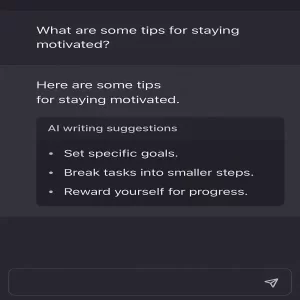
- Notion AI
Best for: Note-taking and task organization.
Notion’s built-in AI helps summarize notes, create to-do lists, and plan your week. You can write study notes or manage projects in one place.
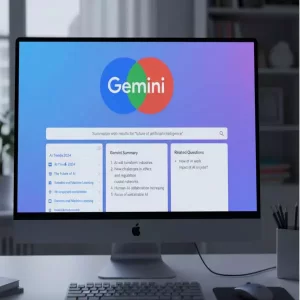
- Google Gemini (formerly Bard)
Best for: Quick research and summarizing online information.
Gemini integrates with Google Search and Gmail to find answers, summarize pages, and generate quick ideas. Great for students and daily users.
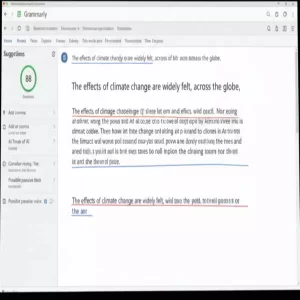
- Grammarly
Best for: Writing clear and error-free text.
Grammarly checks grammar, clarity, and tone in real time. It also suggests rewrites to make your writing concise and natural.
- Copy.ai
Best for: Creating marketing content and social posts.
Copy.ai generates ad copy, captions, and emails with one click. Ideal for students managing projects or small business owners promoting work.

- Trello + Butler AI
Best for: Task automation and team organization.
Trello’s Butler AI can automate task reminders, set priorities, and move cards automatically. Perfect for managing assignments or group work.
- Otter.ai
Best for: Voice transcription and meeting notes.
Otter.ai converts voice into text in real time—useful for lectures or interviews. Free plan includes hours of monthly transcription.
- Canva Magic Studio
Best for: Designing graphics fast with AI.
Canva’s Magic Studio uses AI to remove backgrounds, generate designs, and suggest layouts. Non-designers can make social posts or presentations in minutes.

- Zapier
Best for: Automating apps and workflows.
Zapier connects your apps—like Gmail, Slack, and Google Sheets—and automates actions between them. You can create “Zaps” to handle repetitive digital tasks.

- QuillBot
Best for: Paraphrasing and rewording content.
QuillBot uses AI to rephrase text while keeping the same meaning. Handy for students rewriting notes or improving clarity in writing.

How to Choose the Right AI Tool
Start with your main goal.
Need help writing?
Try ChatGPT or QuillBot.
Want to manage time?
Go with Notion AI or Trello.
Design work?
Canva is your friend.
Use one tool well instead of juggling too many.
Key Benefits of Using AI Tools
- Save time and reduce manual work
- Improve writing quality and communication
- Stay organized across study or work projects
- Learn faster through summaries and explanations
- Focus more on creative or meaningful tasks
Common Mistakes to Avoid
- Relying fully on AI without reviewing output
- Using too many tools at once
- Ignoring privacy or data settings
- Copying AI text directly without editing
AI helps most when you treat it as a partner, not a replacement.
Final Thoughts
AI tools are no longer futuristic—they’re part of everyday life. The right free tool can help you write faster, think better, and manage your time wisely.
Start with one or two from this list, master them, and you’ll notice real improvements in productivity.
FAQs
Q1. Are all these AI tools completely free?
Most offer strong free versions, but some features may require upgrades for full access.
Q2. Can AI tools replace human creativity?
No. They assist in ideas and structure but rely on human judgment and originality.
Q3. Are AI productivity tools safe to use?
Yes, but always read privacy policies before uploading sensitive information.
Q4. Which AI tool is best for students?
ChatGPT, Grammarly, and Notion AI are most useful for study organization and writing.
Q5. Do AI tools work on mobile phones?
Yes, most have Android and iOS apps or mobile-friendly web versions.
Summary / Key Takeaways
| Tool | Best For | Free Plan Available |
| Chat GPT | Writing, learning | ✅ |
| Notion AI | Notes, tasks | ✅ |
| Google Gemini | Research | ✅ |
| Grammarly | Grammar, writing | ✅ |
| Copy.ai | Marketing, content | ✅ |
| Trello + Butler AI | Task management | ✅ |
| Otter.ai | Transcription | ✅ |
| Canva Magic Studio | Design | ✅ |
| Zapier | Automation | ✅ |
| QuillBot | Rewriting text | ✅ |
Free AI tools make your work faster and smarter. Choose a few, learn how to use them deeply, and watch your productivity jump.